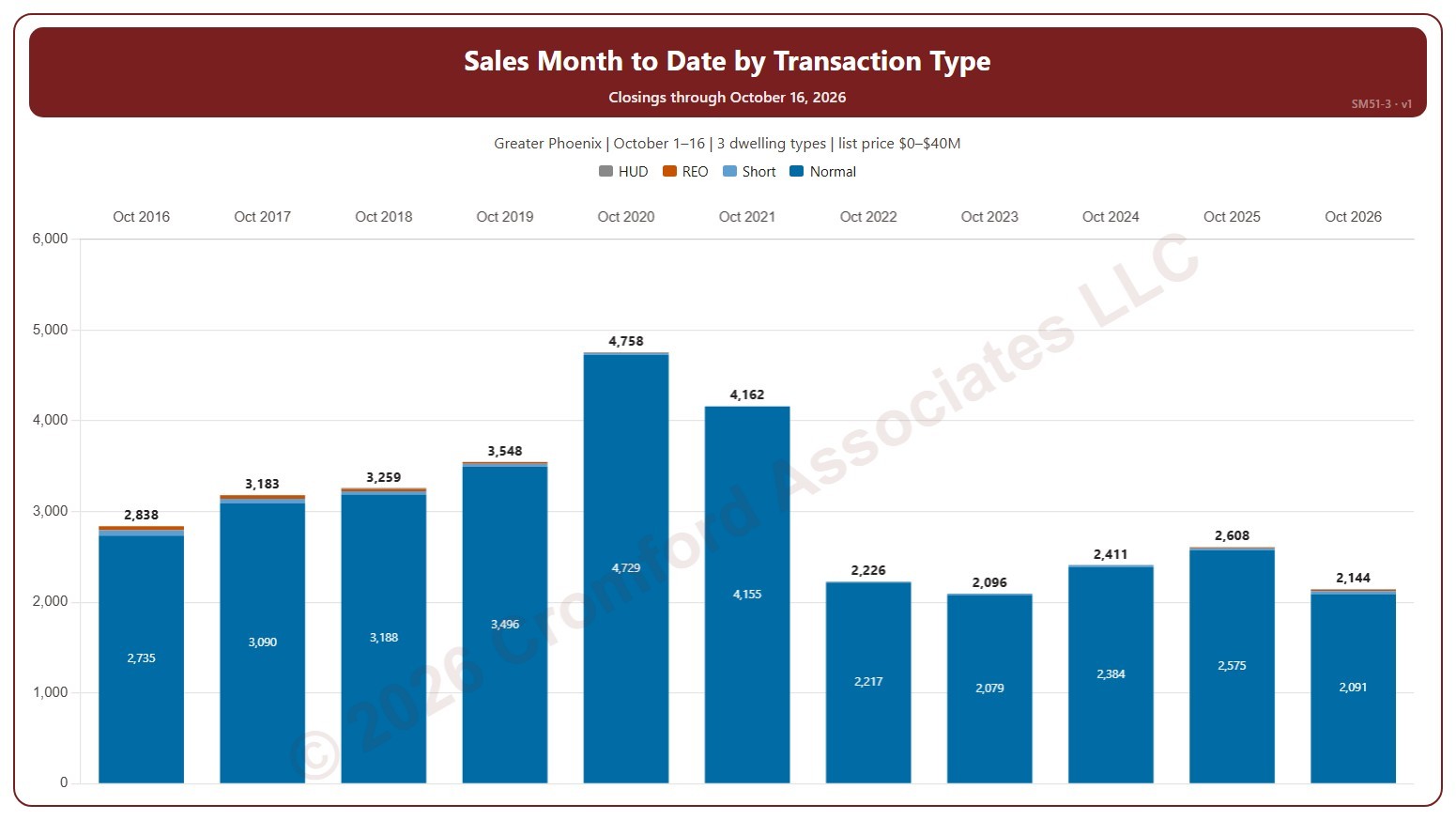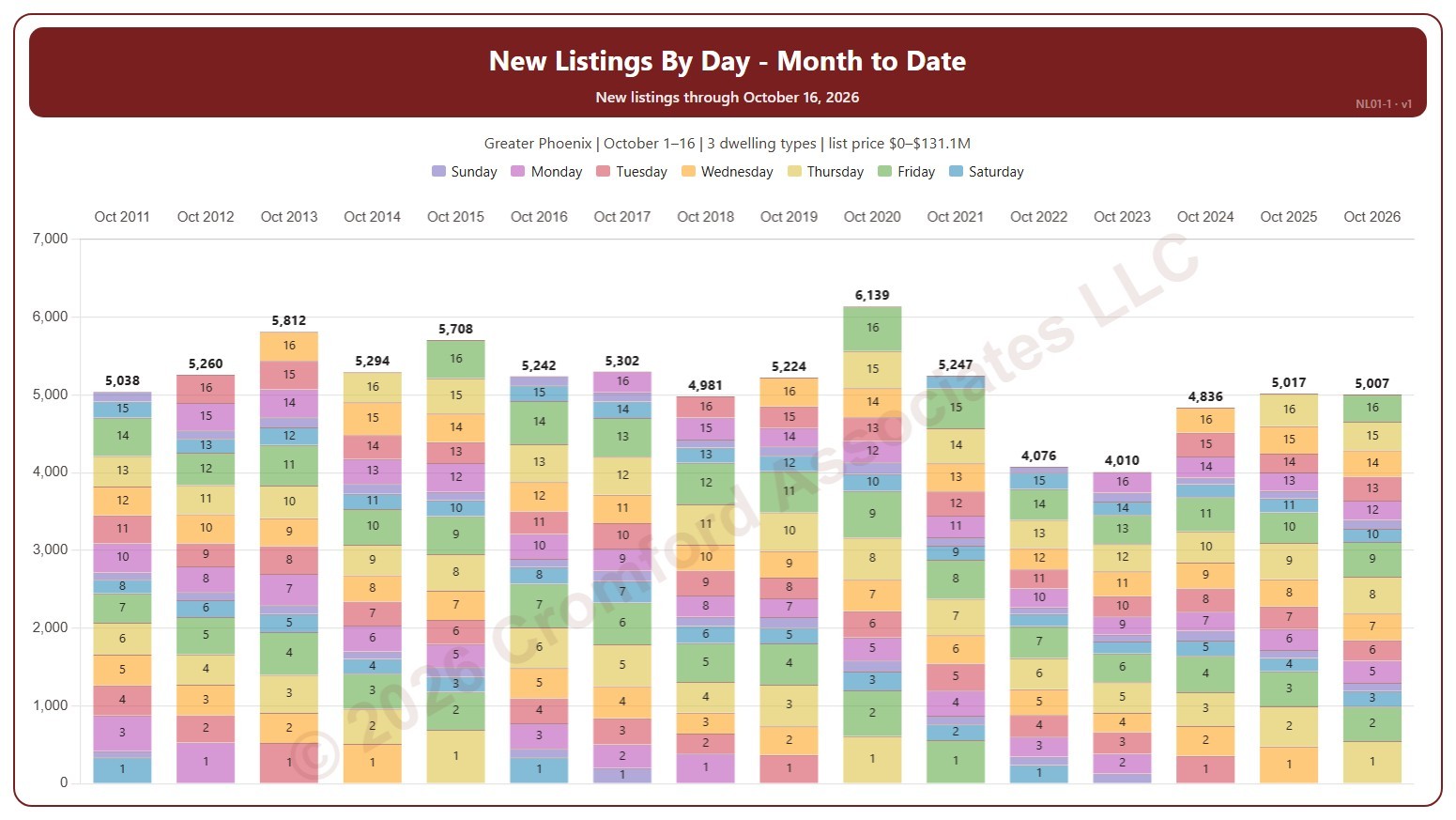
About this chart
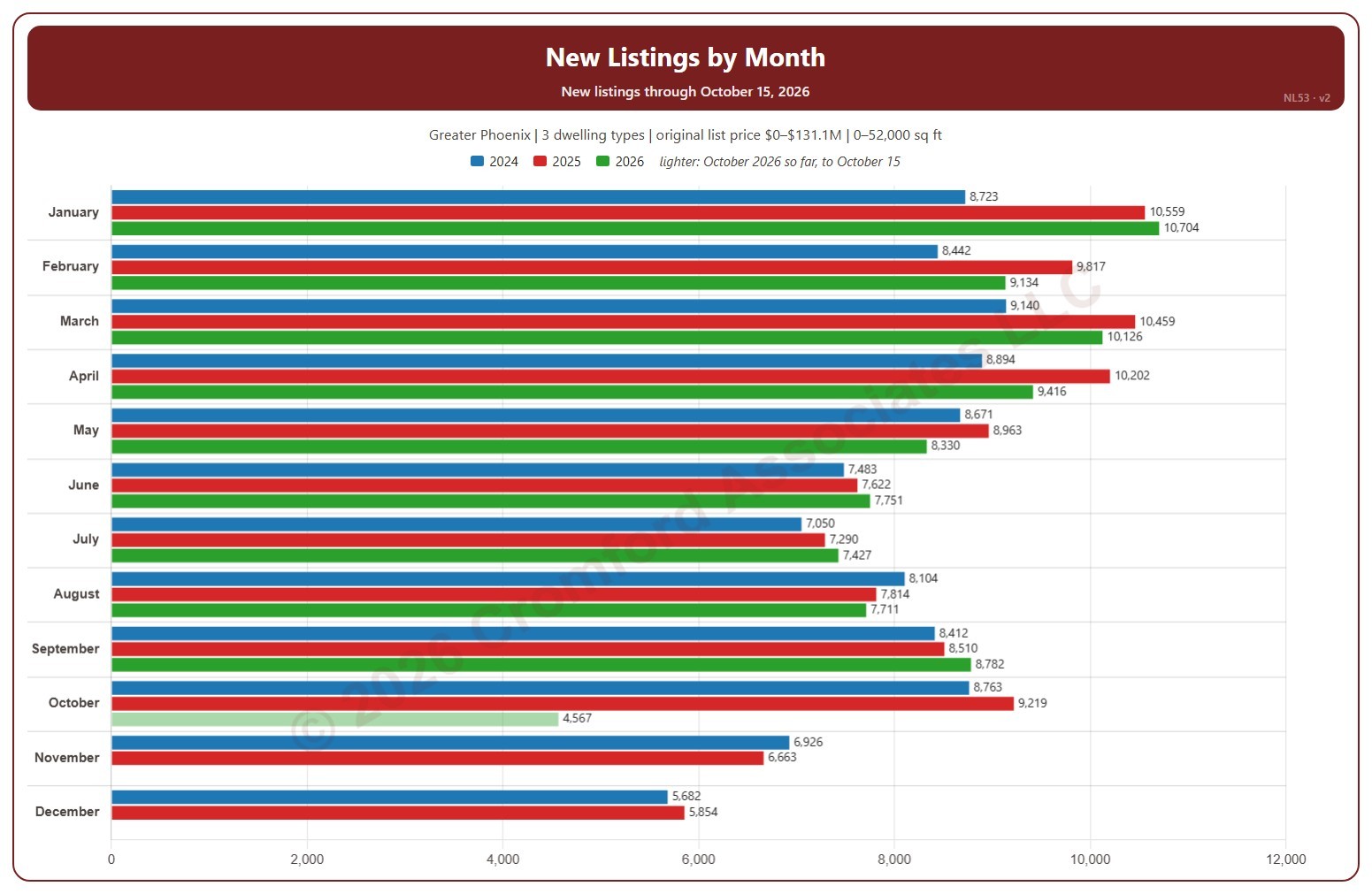
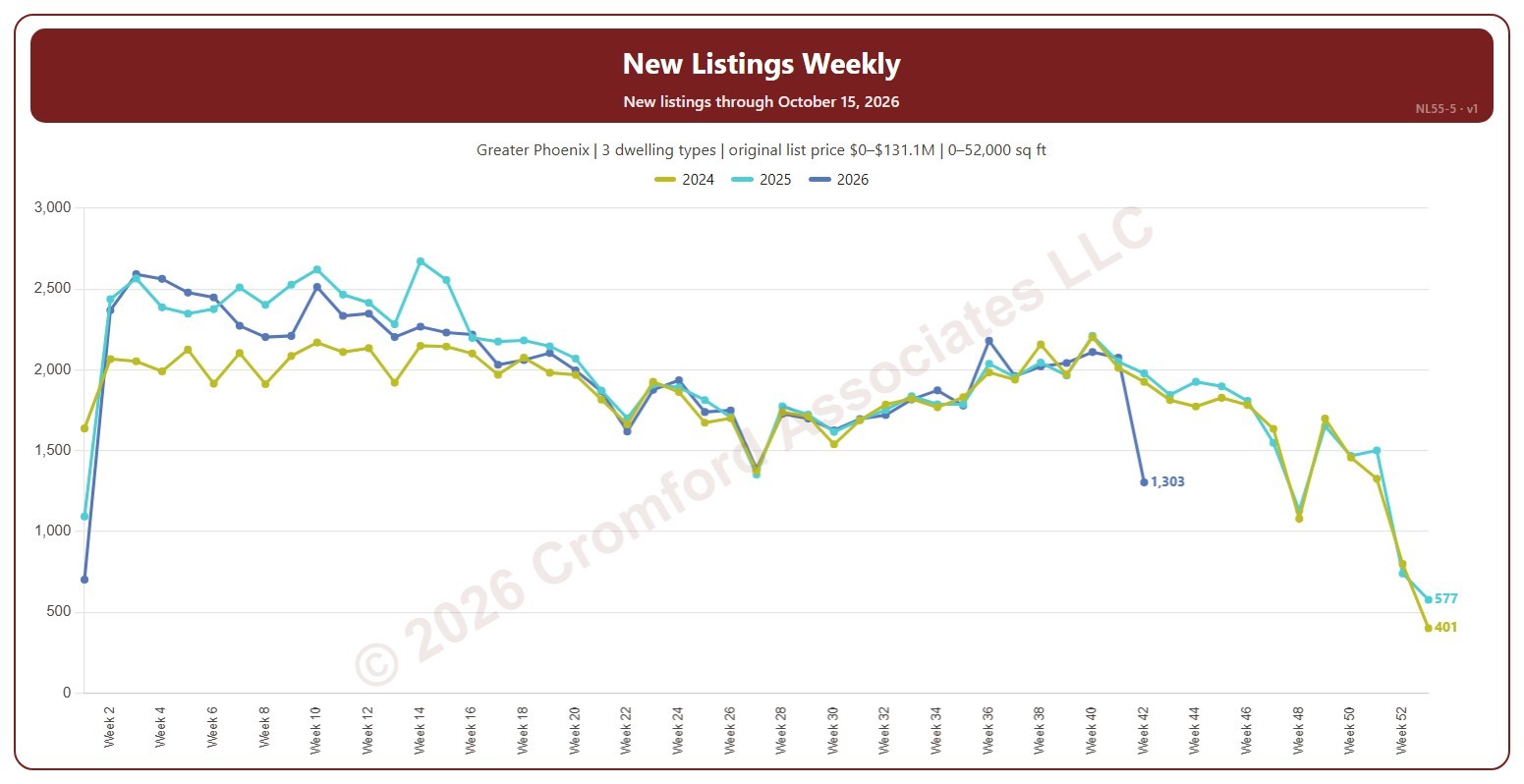
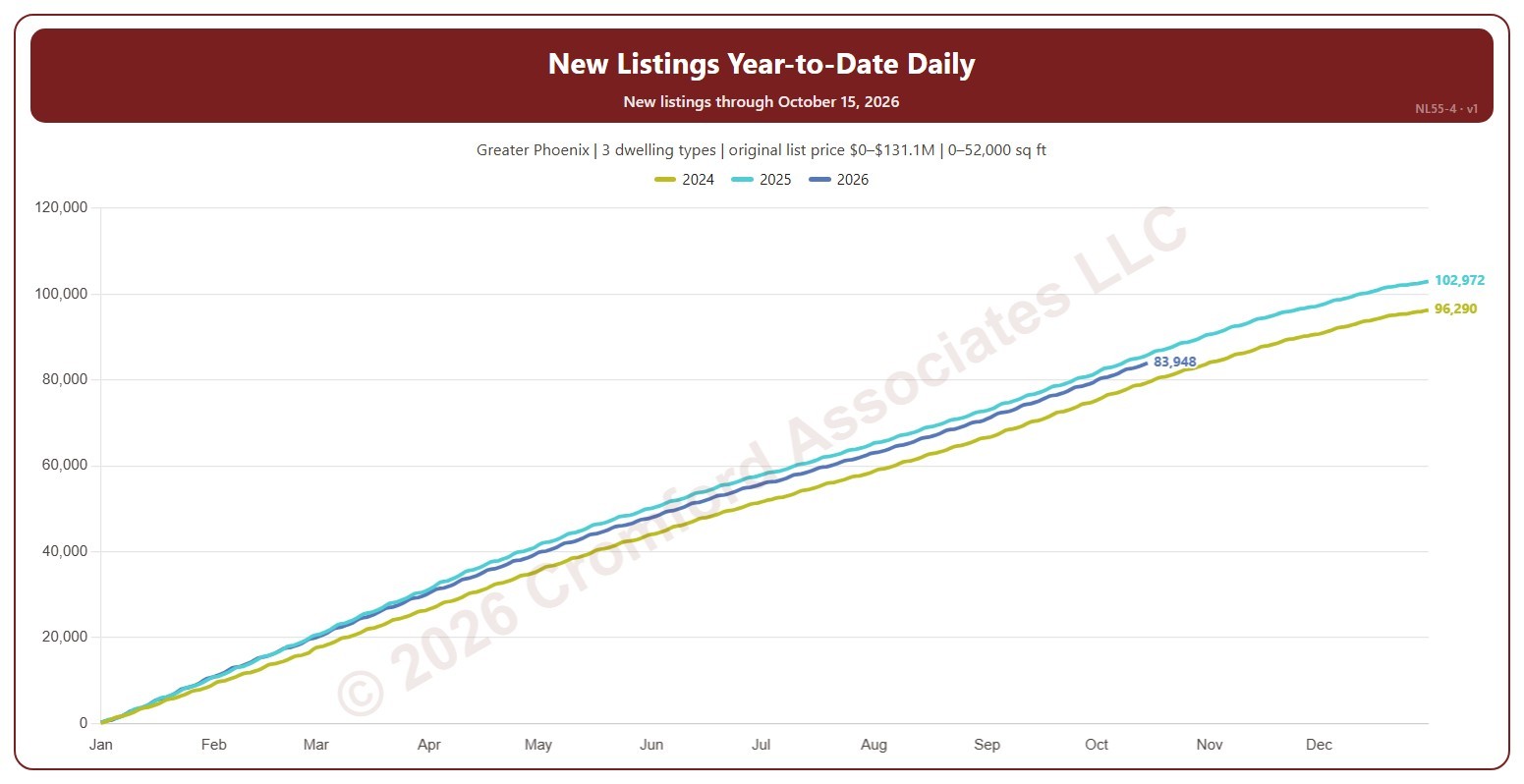
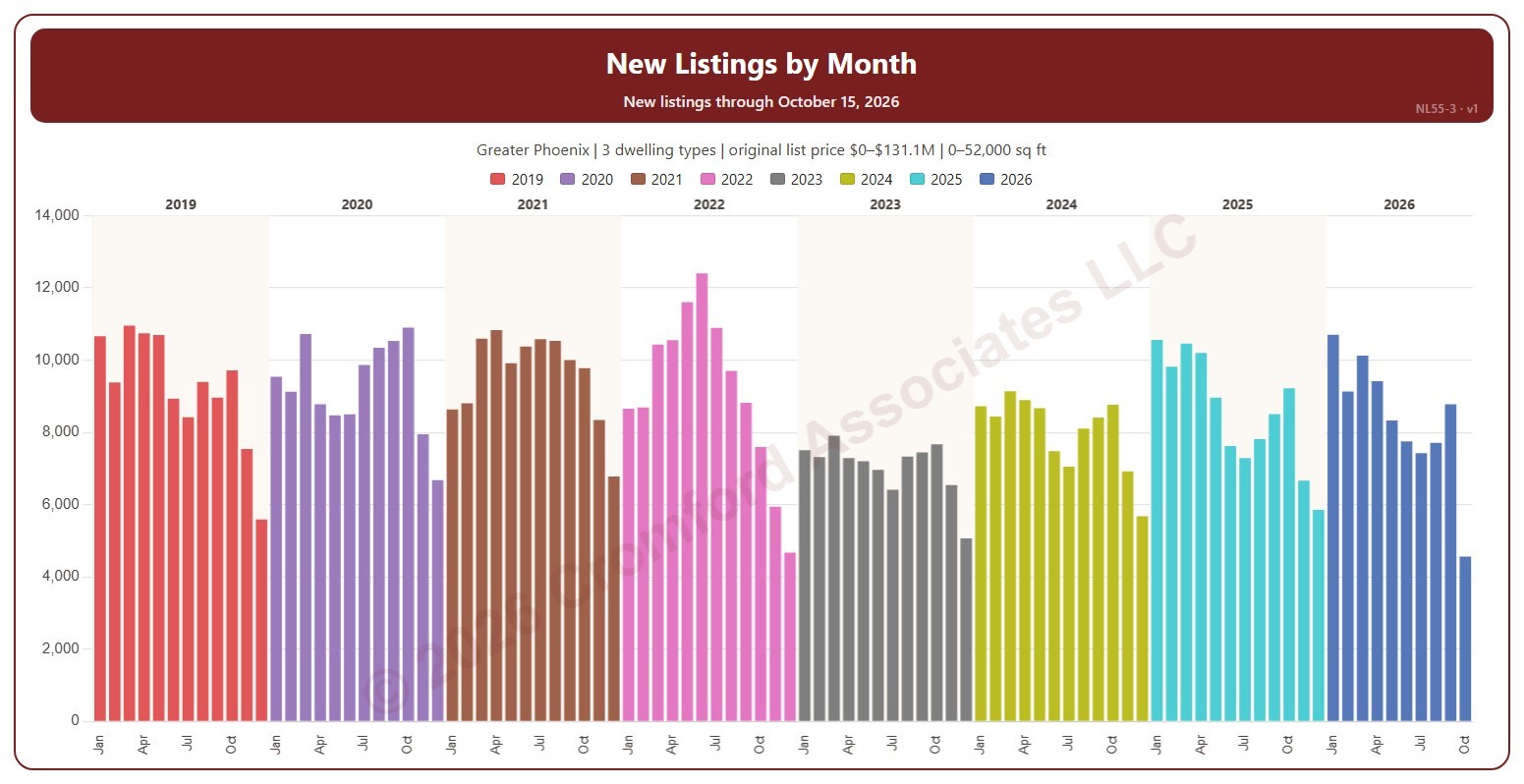
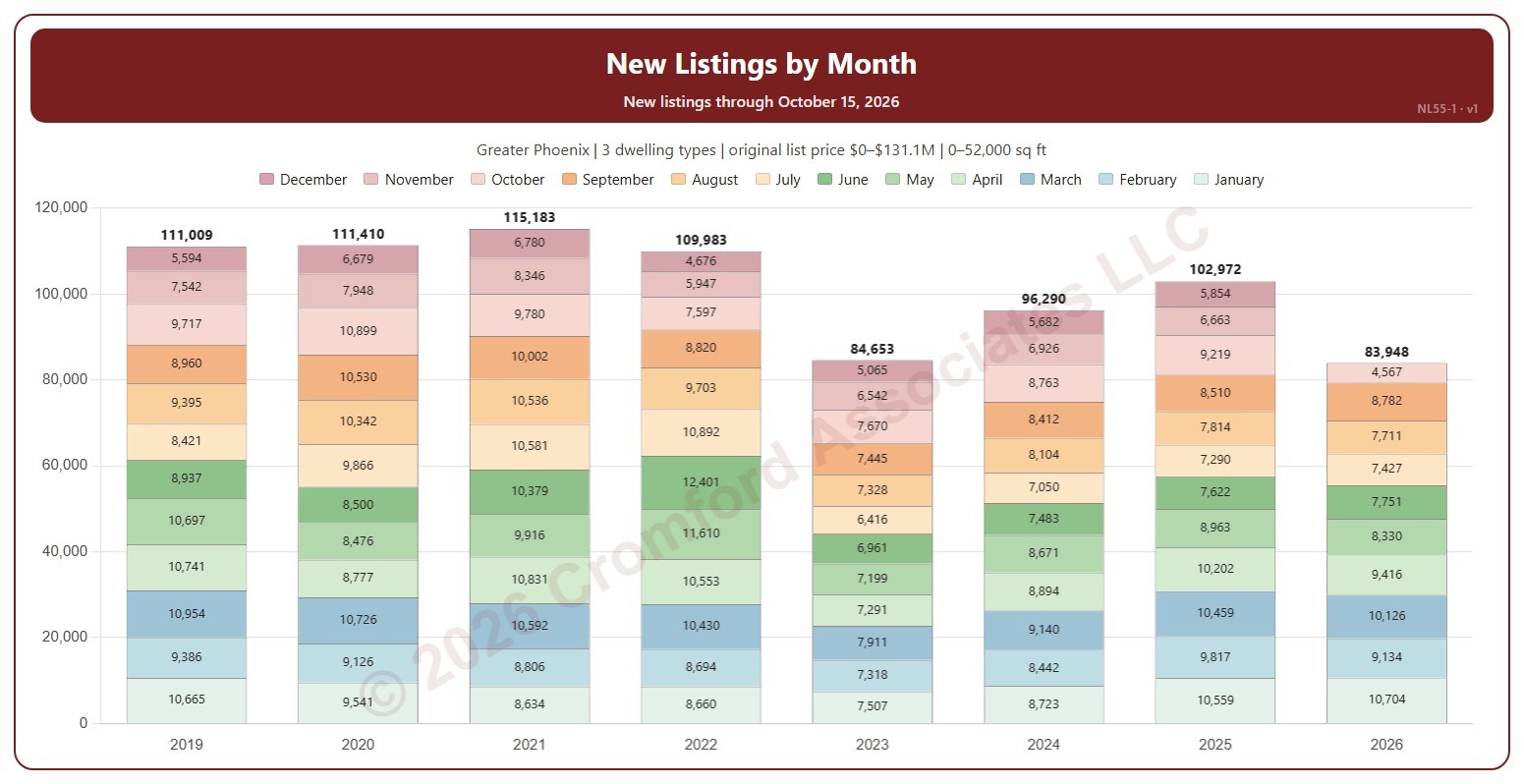
This chart shows new listings month to date, each bar split into its days, colored by the day of the week and labeled with the day of the month. Each bar counts the new listings on ARMLS in the same month, from the same first day to the same last day, in each year, so this month so far can be read against the same days of earlier years. A new listing is counted on the date it was listed, whatever happened to it afterwards.
It opens on the current month, from the 1st to the day of the latest new listing, in every year. Use the Month list and the Days boxes above the chart to compare any month and any run of days, and Month to date to return; if the days run past the latest listing, this year’s bar is drawn lighter. Tick years in the Year box (it opens on the latest 16). The chart is updated every day.
It opens on the Greater Phoenix area: the counties, cities, and ZIP codes that make it up are ticked to start with. Tick or untick any of them to change the area, including counties beyond Greater Phoenix. Narrow it further with the Dwelling Type, Transaction Type, and New / Resale boxes and the original list price, home size, and year built sliders.
Hover over a day to see its new listings and the total for the days chosen.