Market Dashboard

About this chart

This dashboard summarizes the current state of the residential market for all areas and types covered by ARMLS. It is measured daily and shows where the market stands today; for longer-term trends, use the individual charts in the Analysis section.

Use Select Type of Data to switch between 14 views: Sale Price / Sq Ft, Cromford® Index, Inventory, Active Listings, Under Contract, Expired Listings, Canceled Listings, List Price / Sq Ft, Closed Listings, Dollar Volume, Days on Market, Success Rate, Square Feet, and Sale Price $.

Each tile compares a recent figure with an earlier one and is colored to show whether the change is good for sellers, bad for sellers, or neither. The chart beneath the tiles shows the last 13 months, month by month. Hover over it to see each figure.
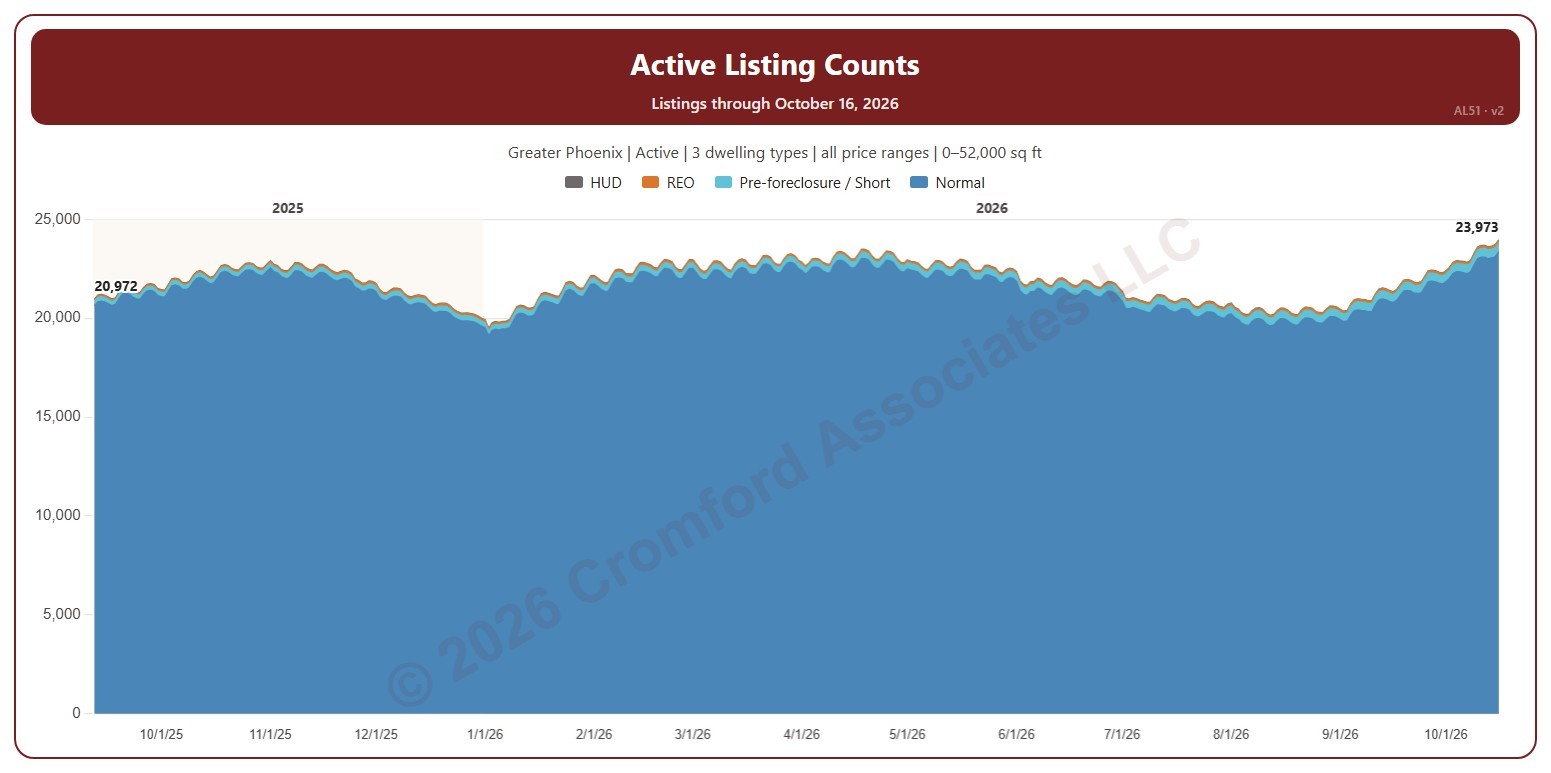
Active Listings Daily

About this chart

This chart shows the number of listings on ARMLS each day, stacked by transaction type: normal sales, pre-foreclosure / short sales, REO, and HUD. The day’s total is labeled at the first and last day shown. It opens on active listings; tick Coming Soon or UCB / CCBS in the Status box to add them.

It opens on the last 400 days; drag the handles of the date slider under the chart to choose the days shown, as far back as January 2011. The chart is updated every day.

It opens on the Greater Phoenix area: the counties, cities, and ZIP codes that make it up are ticked to start with. Tick or untick any of them to change the area, including counties beyond Greater Phoenix. Narrow it further with the Price Range boxes, the Dwelling Type, Transaction Type, and New / Resale boxes, and the home size and year built sliders.

Hover over the chart to see each transaction type’s count and the total for that day.