Market Conditions Dashboard

About this chart

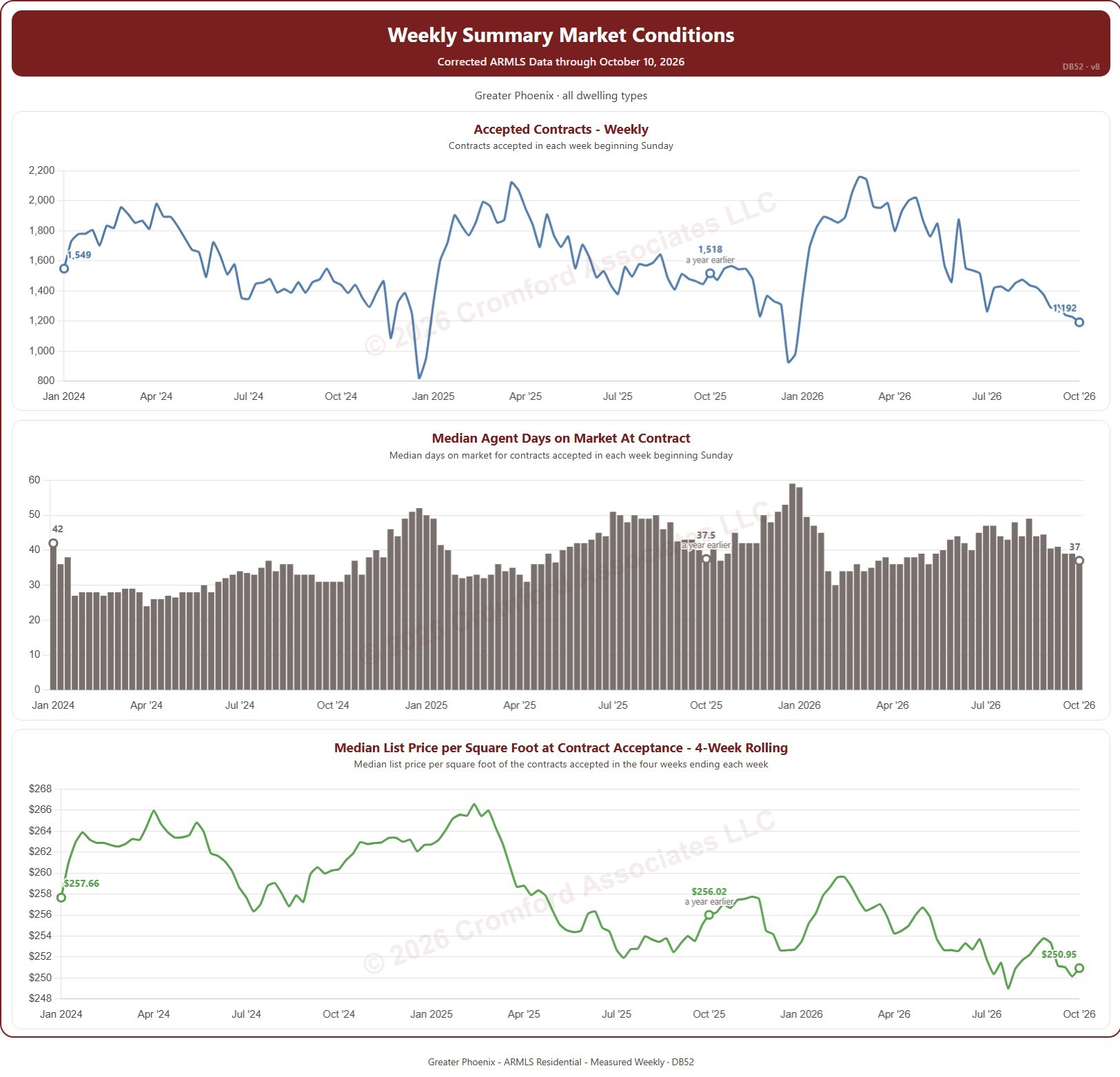
This dashboard tracks the contracts accepted on ARMLS each week. A contract counts when a listing goes from Active or Temp Off Market to Pending or UCB / CCBS. Weeks run Sunday to Saturday and are labeled by their Sunday. Three charts share one set of filters: the number of contracts accepted each week; the median agent days on market of those contracts; and the median list price per square foot of the contracts accepted in the four weeks ending each week.

It opens on January of the year two years back to the latest complete week. Drag the handles of the date slider under each chart to choose the weeks shown, as far back as January 2014. Each chart marks the week a year before its last week, so the latest figure can be read against the same week a year earlier. The dashboard is updated every week.

It opens on the Greater Phoenix area: the counties, cities, and ZIP codes that make it up are ticked to start with. Tick or untick any of them to change the area, including counties beyond Greater Phoenix. Narrow it further with the Dwelling Type and Transaction Type boxes and the list price and home size sliders.

Hover over a chart to see the figures for that week.
Accepted Contracts vs. Back on Market

About this chart

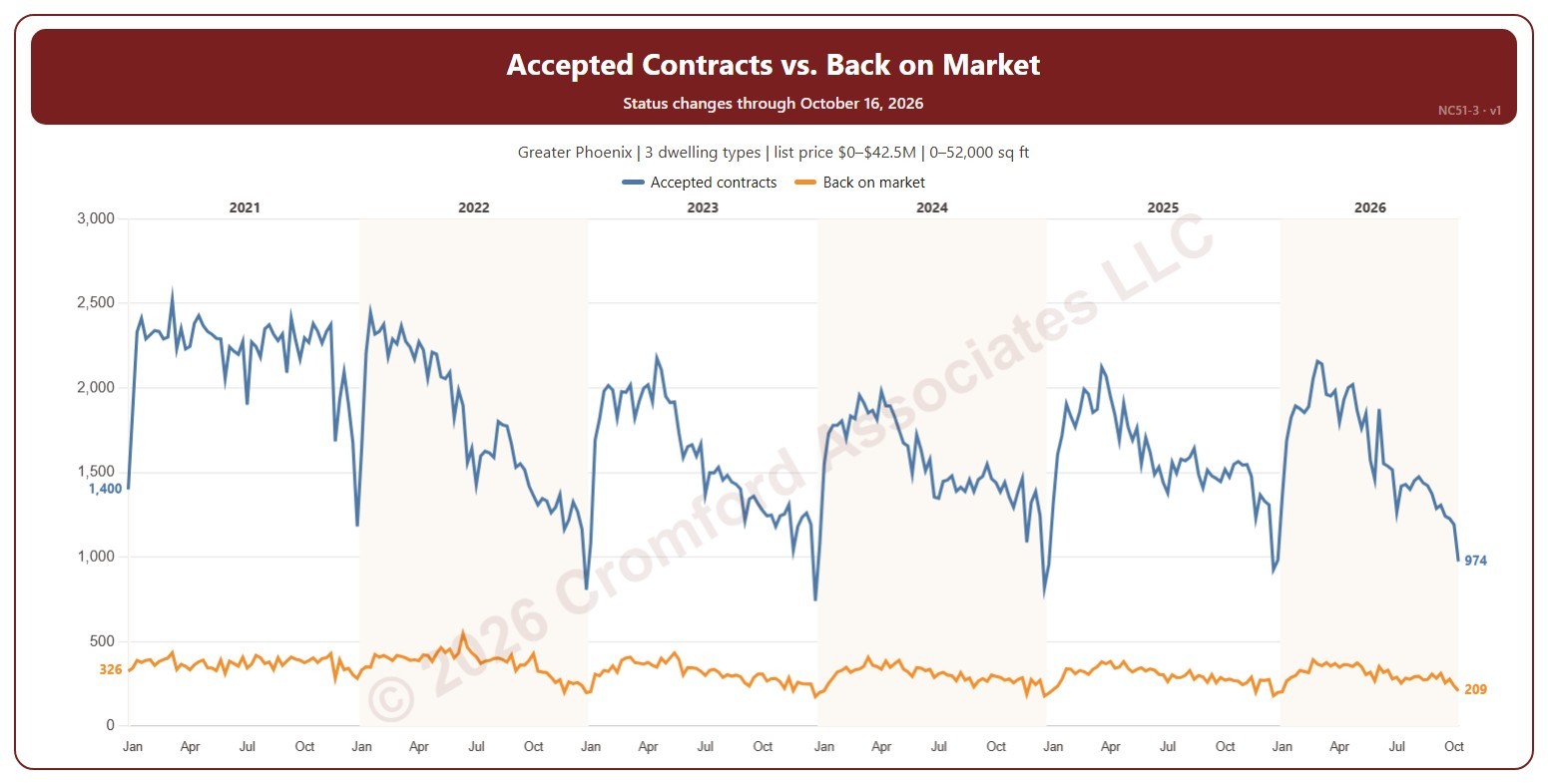
This chart compares, each week, the number of contracts accepted with the number of listings that came back on the market from pending or UCB / CCBS (contracts that fell through or were suspended). An accepted contract is a listing on ARMLS that went from active (or temporarily off the market) to pending or UCB / CCBS, counted on the day the change appeared.

Weeks run Sunday to Saturday. It opens on January five years back to date; drag the handles of the date slider under the chart to choose the weeks shown, as far back as 2014. The chart is updated every week.

It opens on the Greater Phoenix area: the counties, cities, and ZIP codes that make it up are ticked to start with. Tick or untick any of them to change the area, including counties beyond Greater Phoenix. Narrow it further with the Dwelling Type, Transaction Type, and New / Resale boxes and the list price, home size, and year built sliders.

Hover over the chart to see both counts for that week.

Accepted Contracts Weekly by Year

About this chart

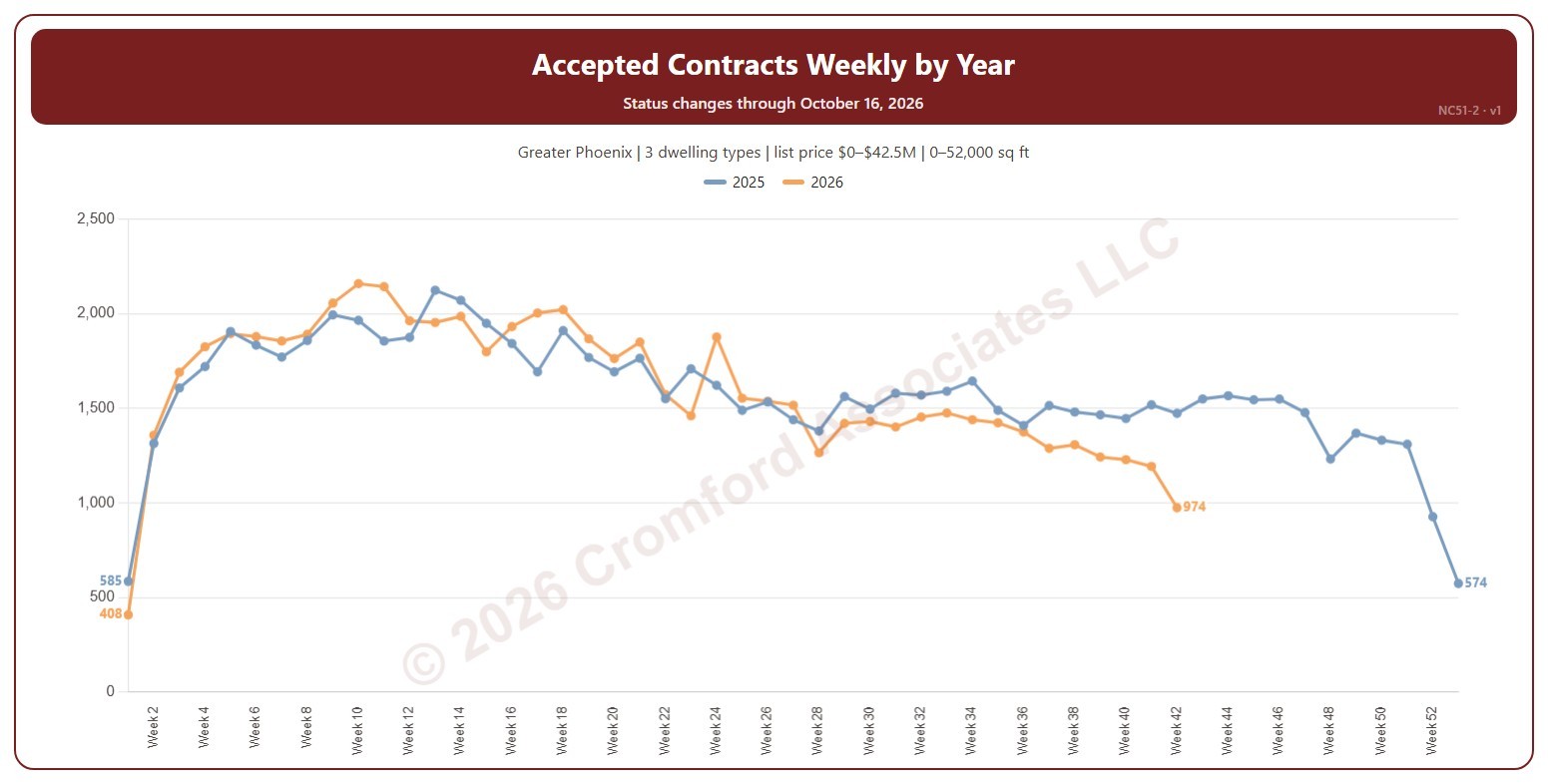
This chart shows the number of contracts accepted each week, a line per year by week number, so this year can be read against earlier years. An accepted contract is a listing on ARMLS that went from active (or temporarily off the market) to pending or UCB / CCBS, counted on the day the change appeared.

Weeks run Sunday to Saturday. Week 1 of each year starts on 1 January, so the first and last weeks of a year can be short. It opens on the latest 2 years; tick other years in the Year box to go back as far as 2014. The chart is updated every week.

It opens on the Greater Phoenix area: the counties, cities, and ZIP codes that make it up are ticked to start with. Tick or untick any of them to change the area, including counties beyond Greater Phoenix. Narrow it further with the Dwelling Type, Transaction Type, and New / Resale boxes and the list price, home size, and year built sliders.

Hover over the chart to see each year’s count for that week.

Accepted Contracts Daily – Measured Weekly

About this chart

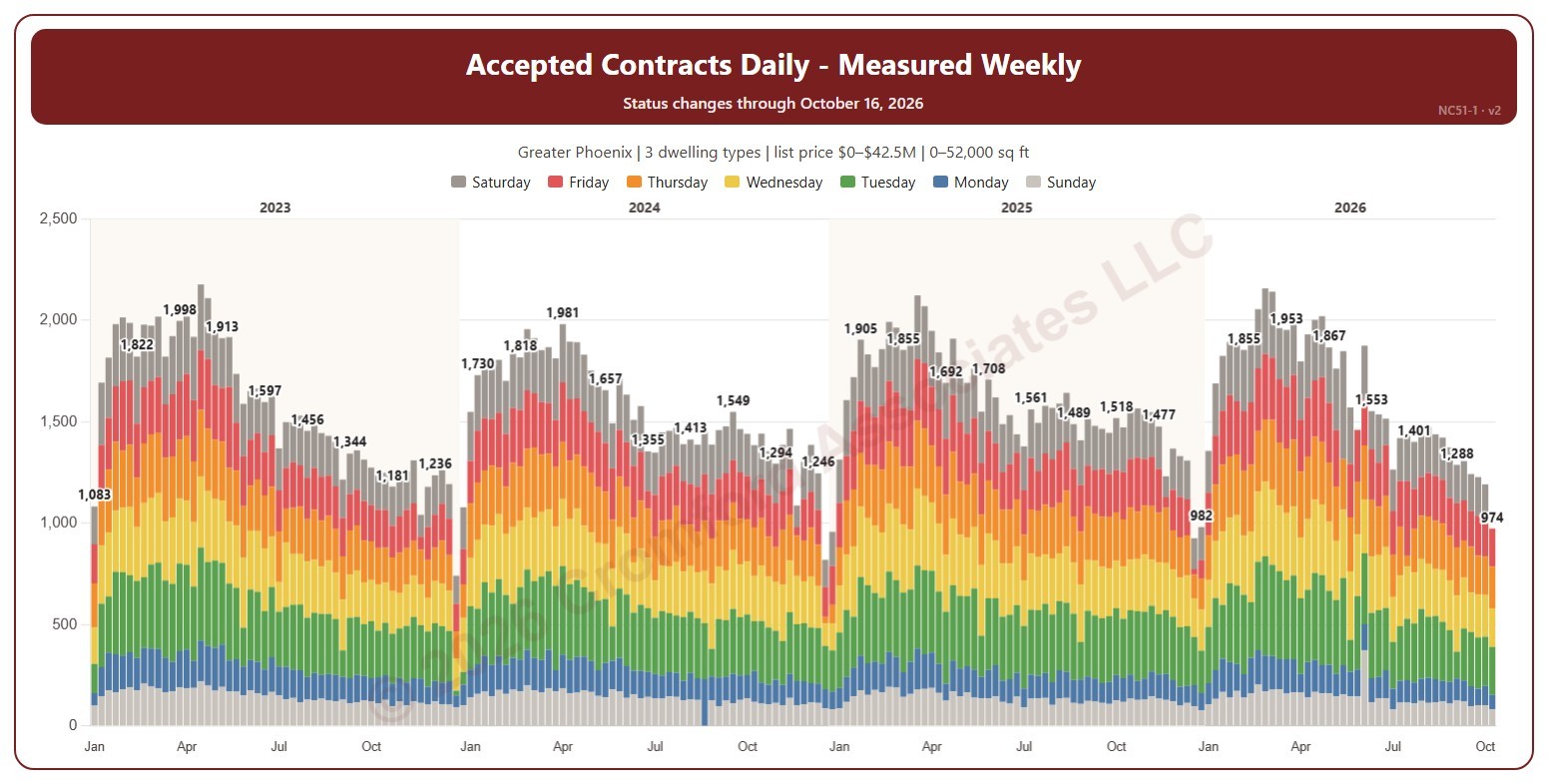
This chart shows the number of contracts accepted each week, each bar split by the day of the week the contract was accepted, with week totals labeled. An accepted contract is a listing on ARMLS that went from active (or temporarily off the market) to pending or UCB / CCBS, counted on the day the change appeared.

Weeks run Sunday to Saturday. It opens on January three years back to date; drag the handles of the date slider under the chart to choose the weeks shown, as far back as 2014. The chart is updated every week.

It opens on the Greater Phoenix area: the counties, cities, and ZIP codes that make it up are ticked to start with. Tick or untick any of them to change the area, including counties beyond Greater Phoenix. Narrow it further with the Dwelling Type, Transaction Type, and New / Resale boxes and the list price, home size, and year built sliders.

Hover over a bar to see each day and the week’s total.